A sign-up page for open trips
When a trip is open to whoever wants a place, people can now sign up on its client page, and each name goes straight into the trip in RoundPlan.
Fill the trip, one name at a time
Some golf trips start without a list of names. You might put together a spring week in the south of Spain and open it to anyone who wants a place. Or maybe a club professional is assembling a group of members to fly them to Scotland. Or a client who is already going simply wants to invite some more colleagues to join, on a first-come, first-served basis.
Without a tool for it, the list grows in a spreadsheet, a few emails or a WhatsApp group. Not the best.
Now, with RoundPlan, people can sign up on the trip’s page, and each name lands in the system automatically.
One link to share
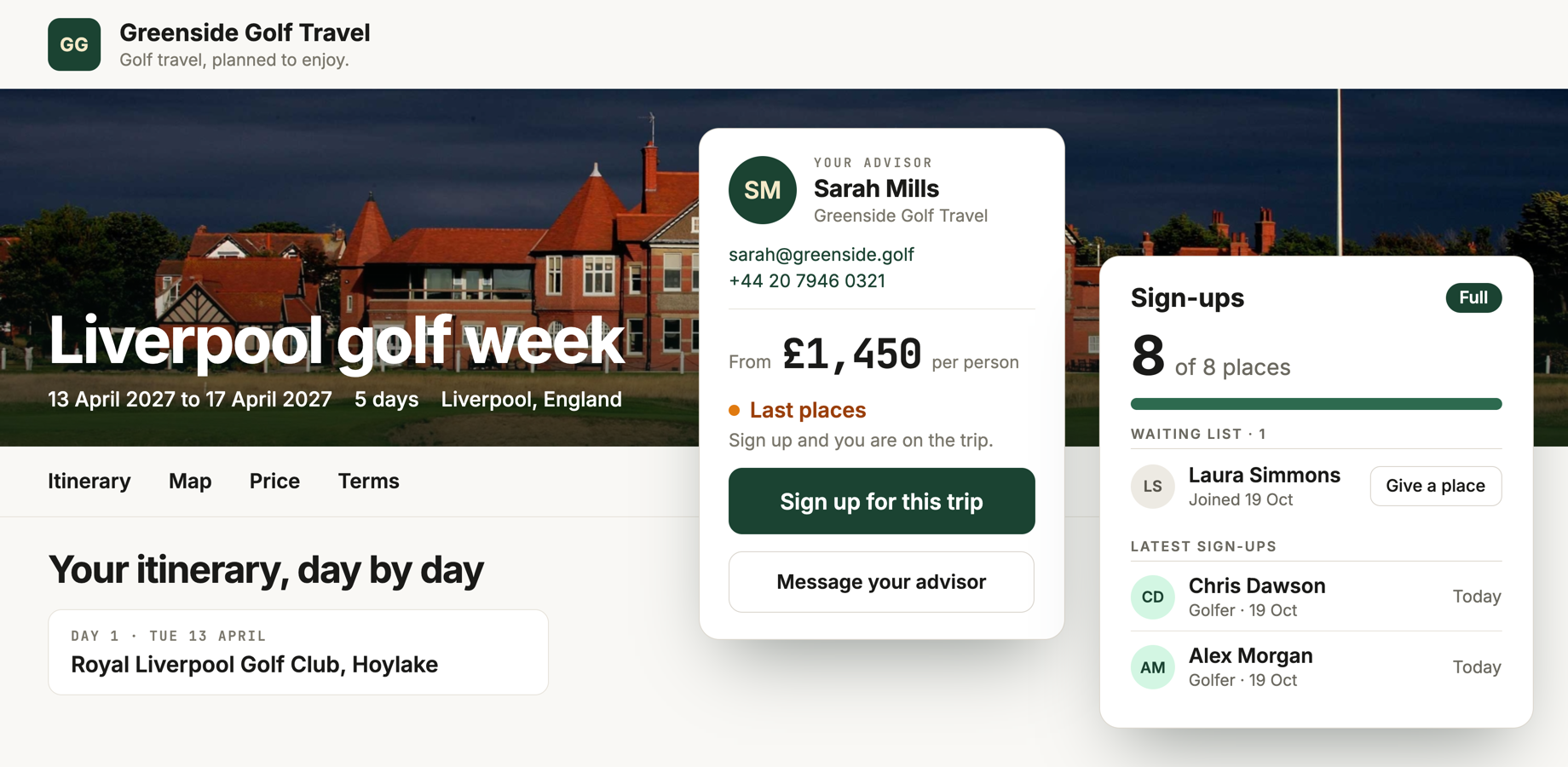
Switch on “Sign-up page” in the trip’s Overview and set the number of places. Set the price people see, for example “From £1,450” per golfer. Then press “Copy sign-up link” and share it yourself, or give it to whoever is gathering the group.
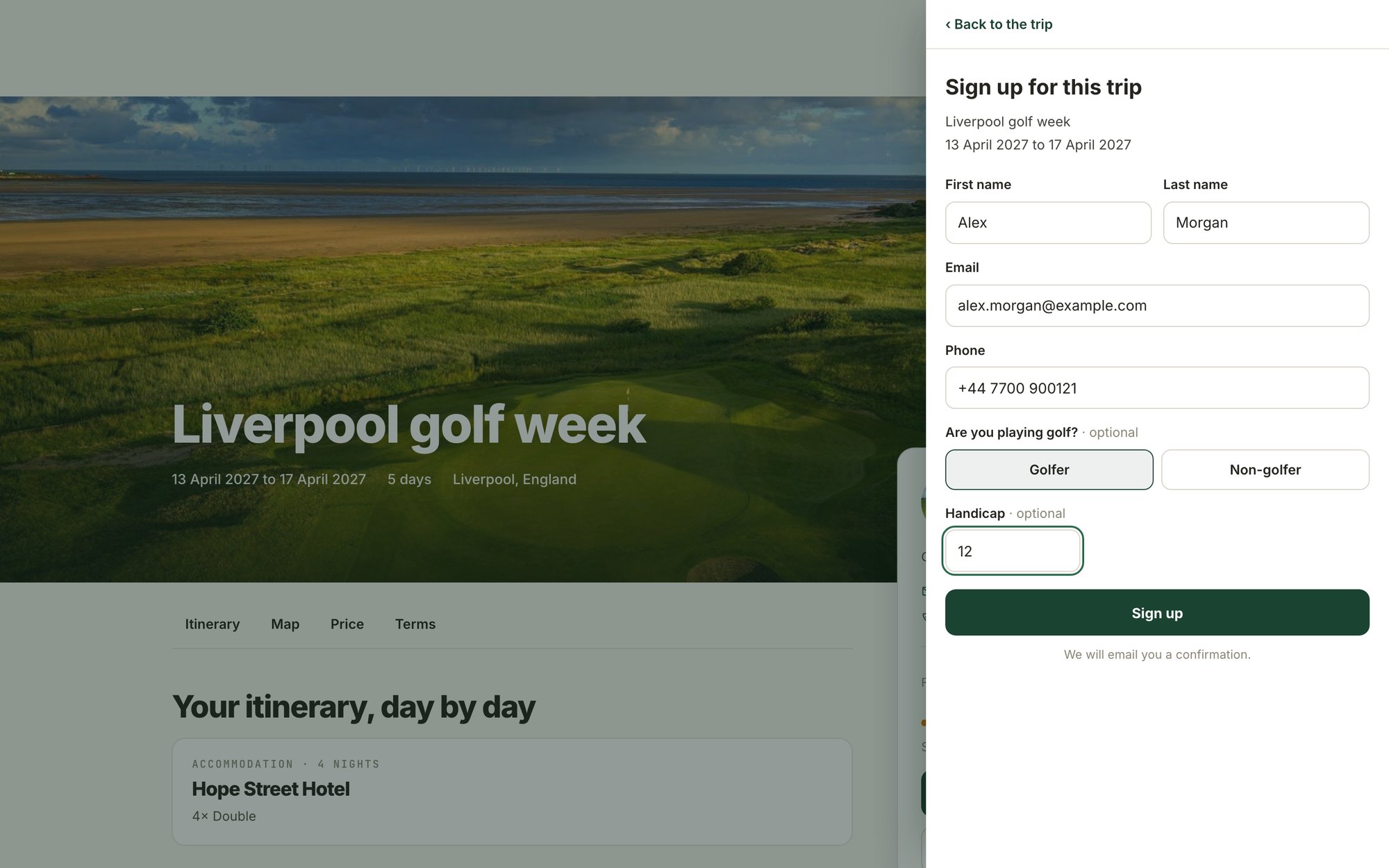
People will see the trip page, with the courses, the hotel and what the price includes. They can see whether places are left, and they sign up in a short form. Each person gets a confirmation email from your agency, in the language of the page.
The settings
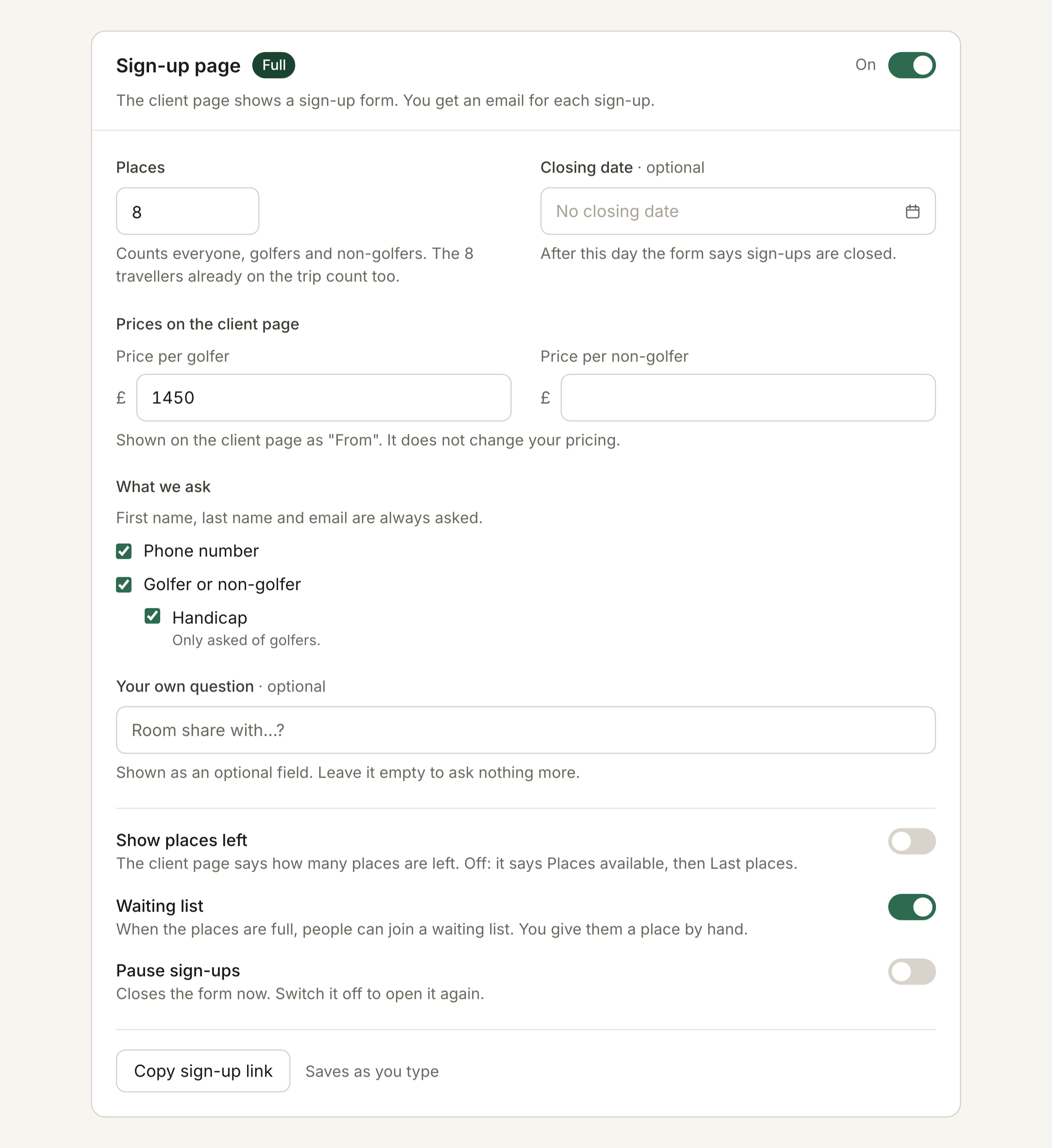
Everything sits in the “Sign-up page” card on the trip’s Overview.
- Places: how many people the trip takes, golfers and non-golfers. Travellers already on the trip count too.
- Closing date (optional): after that day the form says sign-ups are closed.
- Prices on the client page: a price per golfer and, if you want, one per non-golfer. The page shows them as “From”. They do not change your pricing.
- What we ask: first name, last name and email always. You choose whether to ask for a phone number, golfer or non-golfer, and handicap, and you can add one question of your own, such as who they want to share a room with.
- Show places left: the page says how many places remain. Off, it says “Places available”, then “Last places”.
- Waiting list: when the trip is full, people can join the waiting list. You are the one who decides who gets a place.
- Pause sign-ups: closes the form straight away. Switch it off to open it again.
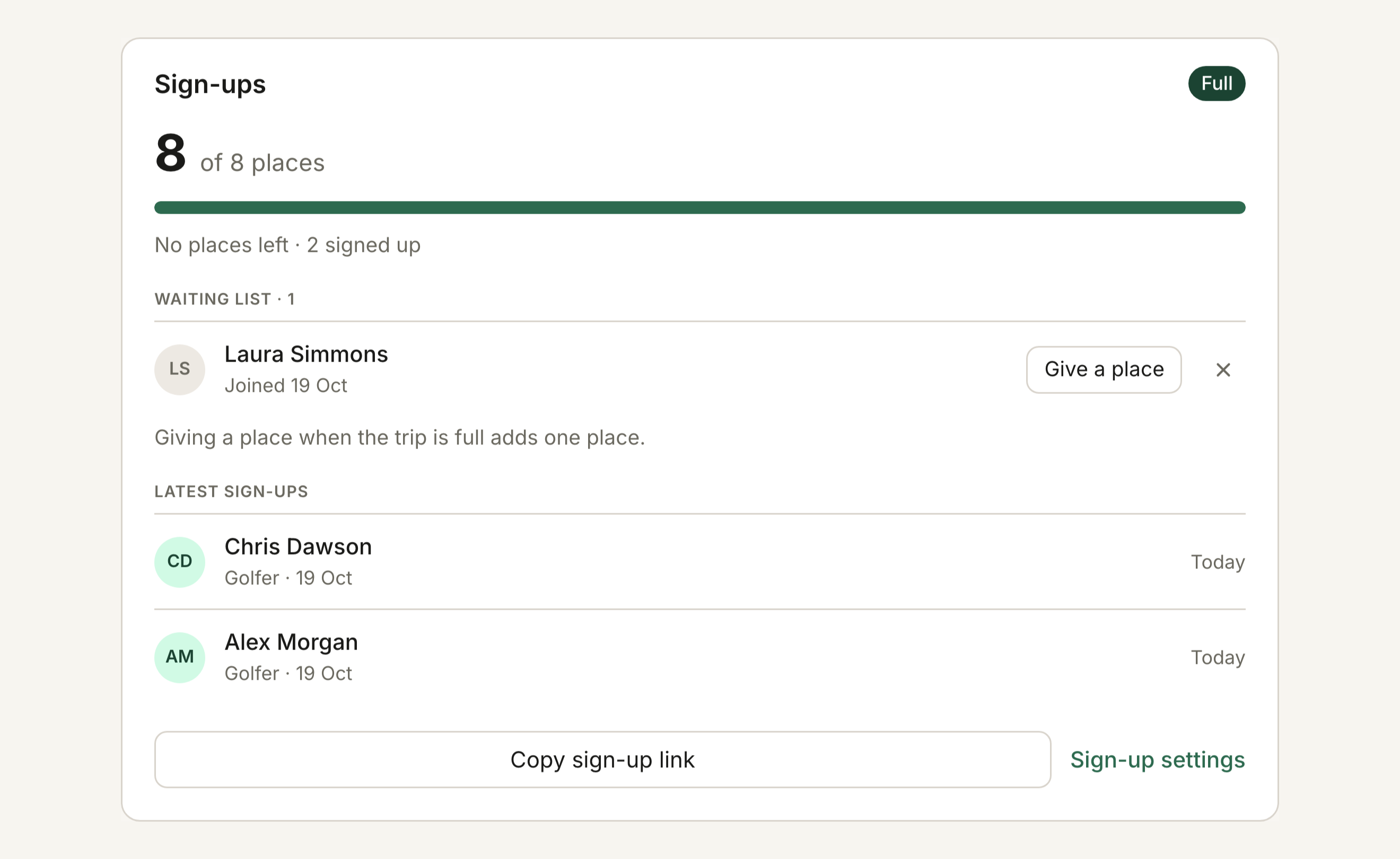
Sign-ups also close on their own when the trip starts or is cancelled. Each sign-up appears in the Sign-ups card on the Overview, and you get an email for each one. Signing up does not book or charge anything.
Visitors can also use “Message your advisor” on the same page. Their message reaches you by email, and you reply from your inbox.
Start with a trip you are about to open to sign-ups. Switch on “Sign-up page” in its Overview, set the places and copy the link.
