See when and for how long clients view the proposal
See when your client opened the golf trip proposal, for how long, on which device and how often they came back, so you know when to follow up.
Has your client opened the proposal?
You’ve sent a €15,000 golf trip proposal for a group of eight. A few days pass, and you haven’t heard anything back. Have they looked at it? Are they discussing it with the group? Should you call now or give them another day?
Until now, RoundPlan showed a simple counter: “Viewed ×3”. But that number could include your own team checking the proposal, someone refreshing the page or an email scanner opening the link before your client did.
We’ve replaced that counter with a clearer picture of when your client has actually been looking at the trip, and for how long.
See when they last looked, not just how many times
Imagine the group organiser opens the proposal on Friday evening from their phone. They return on Monday from their work computer, then again on Tuesday at lunchtime.
Those visits might mean they’re comparing options, discussing the itinerary or sharing it with the group. It’s a good moment to follow up.
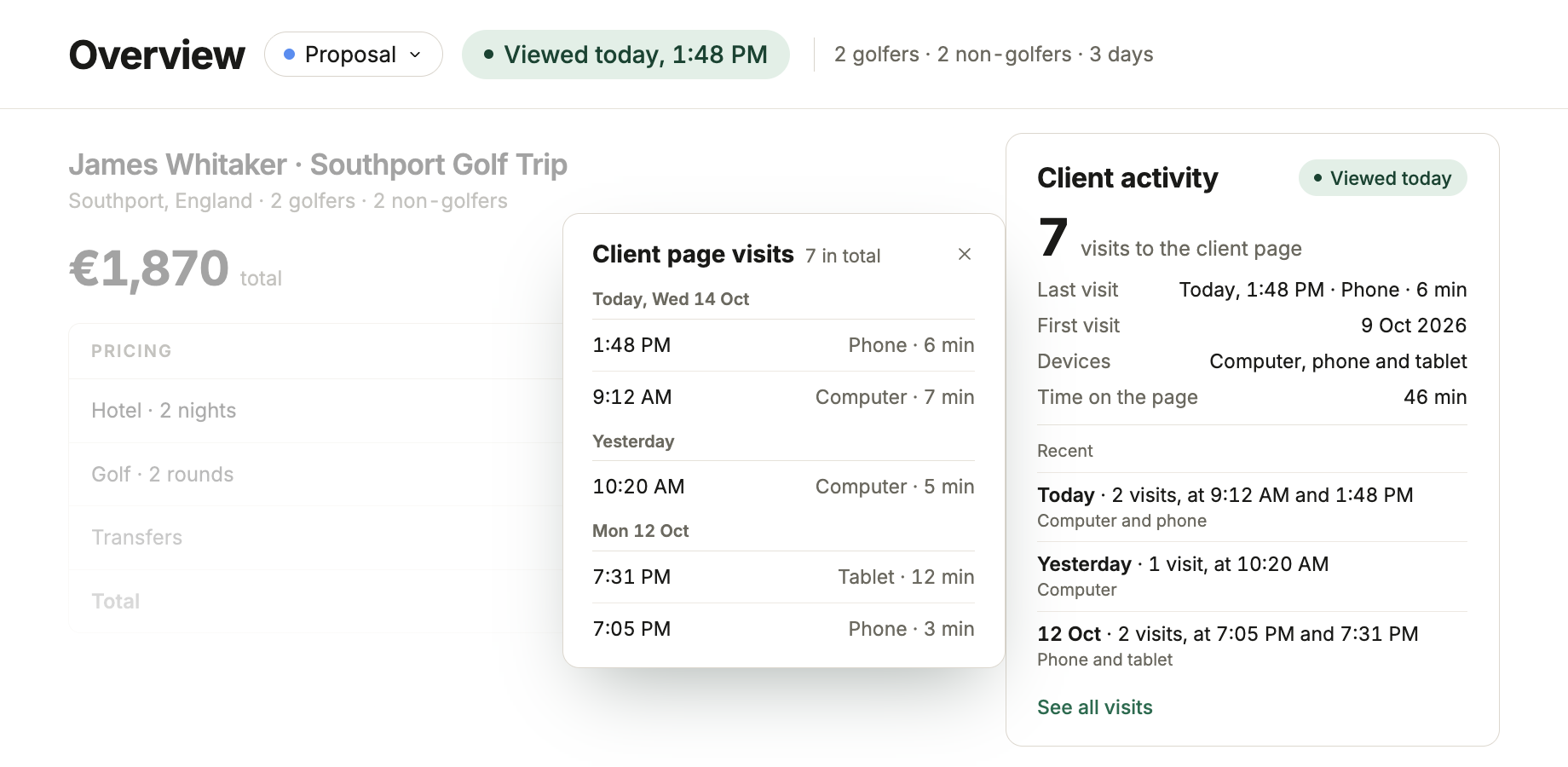
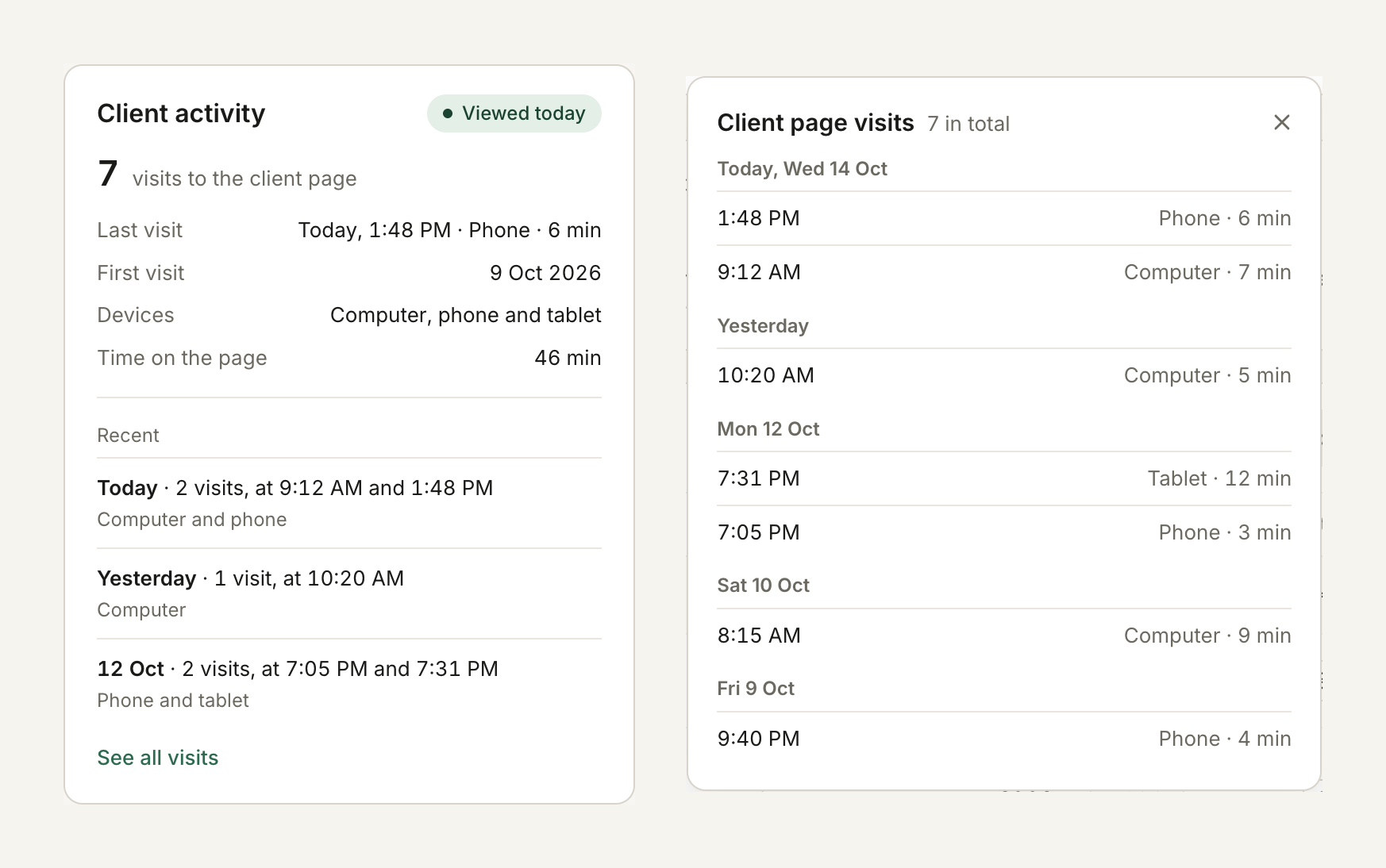
In the trip Overview, the new Client activity card shows the total visits, when the proposal was first and last opened, which devices were used and the time spent on the page.
You can also see recent activity grouped by day. Select See all visits for the full breakdown, including the date, time and device for each visit.
How long they spent on it
Each visit also shows how long the proposal was on screen. Four minutes on a phone on Friday evening is a quick look. Twelve minutes on a computer on Monday is someone going through the trip day by day.
RoundPlan only counts the time while the page is in front of your client. If they switch to another tab or close the laptop, the count stops.
In the trips list and on Home
In the trips list, the Last activity column now says when the proposal was last viewed, for example “Viewed today”, instead of a count. Hover over it to see the number of visits and the dates of the first and the last.
On Home, Waiting on the client puts the proposals your client opened this week first, so the ones worth a call are at the top.
More accurate visit counts
We’ve also improved what counts as a visit.
Your own team’s visits are excluded. Refreshing the page or returning within 30 minutes from the same browser counts as one visit, not several. Email scanners that only download the page are excluded too.
Everyone in the group opens the same link, so RoundPlan shows when and on which device, not which person. Your client never sees any of this.
When a proposal shows “Viewed today” in green, that is usually a good day to call.
