Sell golf trips through partner agencies, under their brand
When a partner agency sells the golf trip you build, the client sees their brand while you keep the itinerary, bookings and costs in RoundPlan.
The agency the group knows
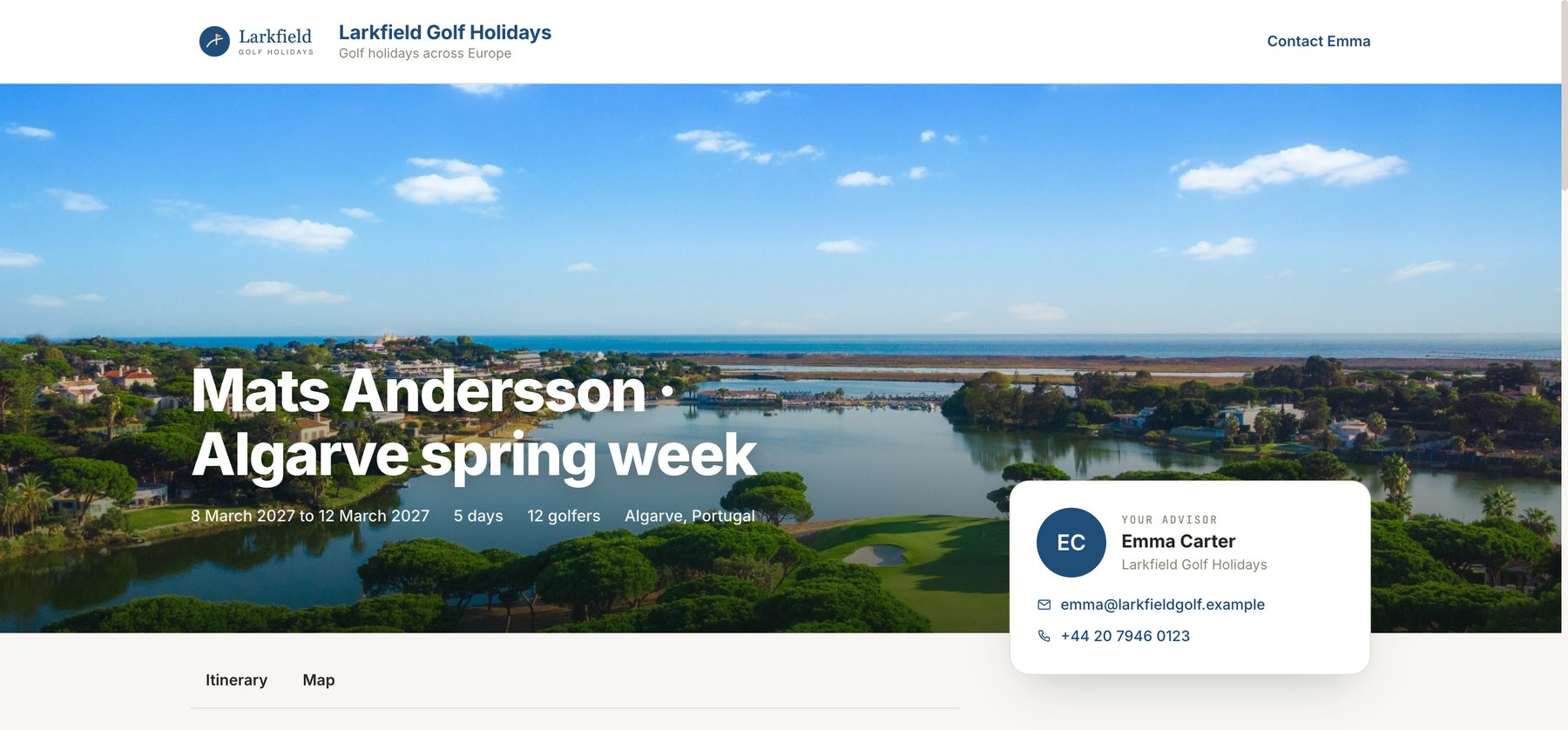
Your agency in the Algarve puts together a week of golf: courses, hotels and transfers. A London agency sells it to a group. When the organiser opens the trip link, they expect to see the agency they have been speaking to, with its logo, contact details and booking terms.
Until now, the RoundPlan client page always carried your agency’s brand. For a trip sold through a partner, you had to take the itinerary out of RoundPlan and rebuild the proposal elsewhere.
The client sees your partner
The client page now shows your partner’s logo, name, strapline and accent colour. The “Your advisor” card shows their contact person, email address and telephone number. Their booking terms and bank details appear on the page too. Your agency’s name, branding and contact details do not appear.
Set up your partner once
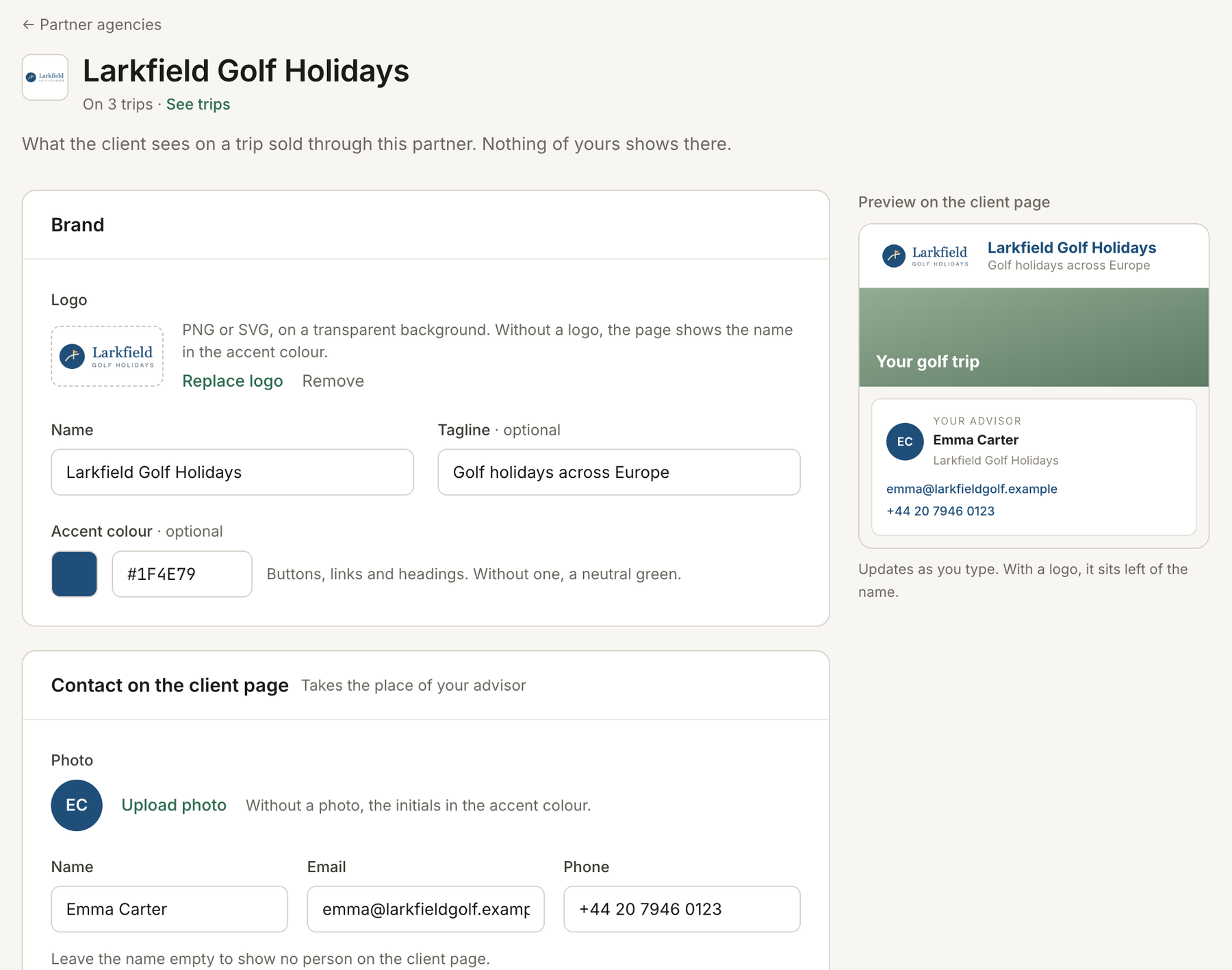
Add an agency in Settings → Partner agencies. Save its branding, contact person, booking terms and bank details there. You can include the contact’s photograph, email address and telephone number.
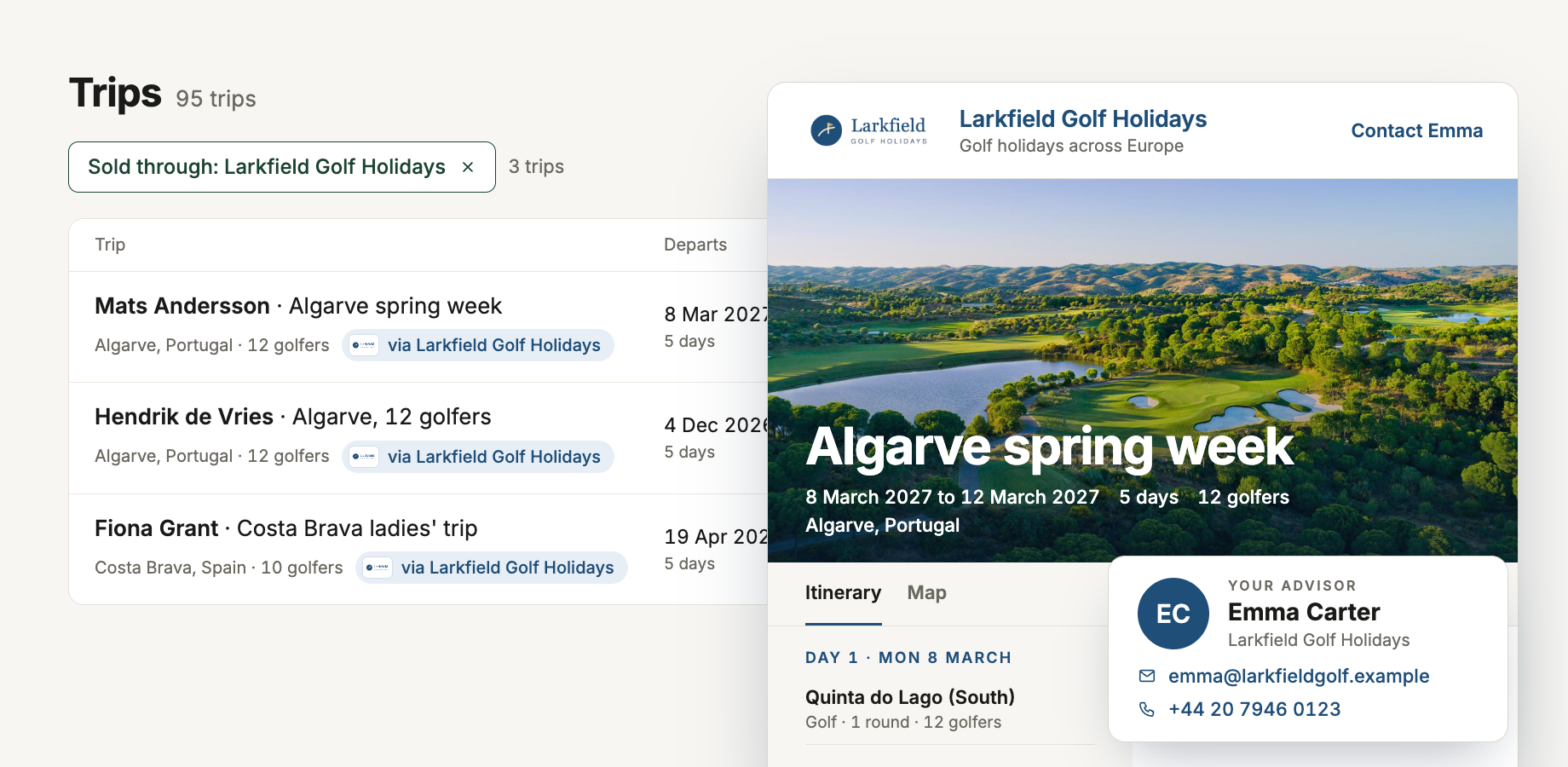
Then choose that agency from Sold through on each trip it sells. The trip is marked “via [partner]” in its details and in the trip list, where you can also filter by partner. You can see which trips came through each agency without keeping a separate list.
![Trip list with a “via [partner]” label beside a golf trip](/marketing/blog-partners-trips.png)
Keep the trip in one place
For your team, it is still a RoundPlan trip. Build the itinerary, manage bookings with suppliers and keep track of costs and margin as you normally would. The group receives a page from the agency that sold them the trip, while your agency keeps the work behind it together.
Add your first partner in Settings → Partner agencies when you are ready to build a trip for them.
